Custom Hawaiian Shirt from Reference Photo Guide
· Development · Aloha & Co Editorial Team
Turn a shirt photo into a usable factory brief by defining print repeat, placement, collar, buttons, color approvals, tolerances, and artwork rights.
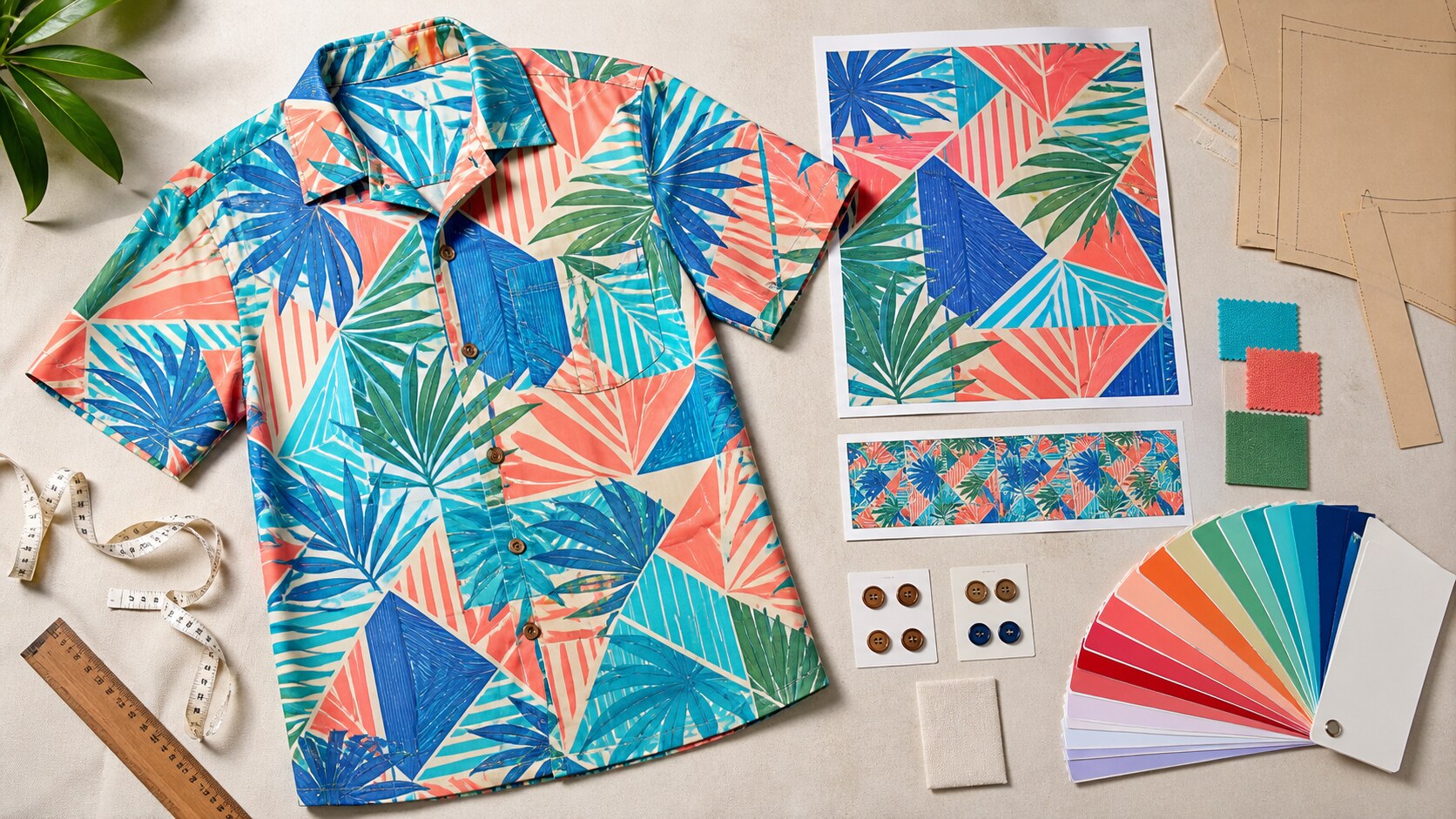
Summary. A reference photo cannot settle hidden repeat geometry, physical color, fabric, collar interlining, or button material. Buyers need a written tech pack, print-ready artwork, rights review, physical color approval, and a signed sample.
Key Takeaways
- Decide whether you need a seamless repeat, a fixed panel, or an engineered placement before artwork begins.
- Supply artwork at full size, preferably 300 DPI, with one clean repeat tile and a consistent color workflow.
- Specify collar construction, button material, placement coordinates, measurements, and tolerances in the tech pack.
- Clear rights to recognizable surface artwork and approve a physical print sample before bulk meterage.
Direct Answer
Before choosing a custom Hawaiian shirt from reference photo, confirm whether the goal is an exact licensed print or a new design with similar visual cues. Give the factory a tech pack that fixes the repeat, scale, placement, collar construction, button material, physical color reference, tolerances, rights status, and sample approval steps.
Start with the parts the photo cannot prove
A public buyer search dated May 23, 2026 shows the problem. The buyer tried Google Lens and eBay without finding the exact shirt. Comparisons then focused on a metal-looking button, stiff collar, and blocky print. Construction clues become useful when an exact match fails. Use the photo as visual input. The discussion did not identify the brand, textile artwork, owner, or license. A photo cannot reliably recover hidden repeat geometry, physical colors, fabric composition, collar interlining, or button material. Record each as an open decision for the factory quote and sample.
Choose the print route before rebuilding artwork
Specify a seamless repeat or a fixed-dimension panel. A seamless tile must connect top-to-bottom and left-to-right; it need not be square. Crop a repeat file to one tile without borders, overlaps, or excess design. For a motif at a pocket, center front, or collar, supply engineered-placement coordinates. Lock scale at 1:1. Custom Fabrics specifies 300 DPI and accepts TIFF, PNG, JPEG, PDF, or PSD. Use Pixels = (Centimetres / 2.54) x target PPI. A 50 cm design at 150 PPI needs about 2,953 pixels.
Check fabric width, repeat size, and file limits
Test the tile against printable and cuttable width. Most Custom Fabrics bases are 150 cm wide, so a 50 cm by 50 cm panel repeats three times across them. Another printer excludes 1 inch at each selvedge, reducing cuttable width by 2 inches, and limits vertical panels to 2.5 yards. Confirm the selected mill's rules. Record final dimensions, pixels, repeat direction, format, layers or transparency, profile, file name, and version. One printer accepts 72 to 300 DPI and recommends 300 DPI at full size. Another requests a merged PSD, RGB, and a recommended 300 DPI. Obtain the chosen printer's upload specification before art release.
Convert visible clues into tech-pack fields
An eight-page tech-pack structure covers style information, technical flats, measurements, bill of materials, colorways, artwork, labels and packaging, and production notes. Artwork fields include files, dimensions, placement coordinates, production method, colors, and approval reference. Draw the collar and state its construction. Name button material, finish, size, color, and attachment. Add pocket, hem, sleeve, seam, label, and packaging callouts. Illustrative tolerances in the cited guide are chest plus or minus 1.0 cm, body length plus or minus 1.5 cm, sleeve and shoulder plus or minus 1.0 cm, neck opening plus or minus 0.5 cm, and hem opening plus or minus 1.0 cm. Confirm factory tolerances and ask the factory to define motif-matching tolerances for each required location.
Approve color and placement on physical samples
Keep the color mode consistent between batches. Some printers accept RGB or CMYK; others require RGB. The tech-pack guide specifies Pantone FHI TCX plus an approved swatch or lab dip because screen color is insufficient. Record the profile, substrate, and approved version. Approve a print strike-off or fabric sample before large meterage, then a sewn placement sample. Check scale, repeat joins, center front, pocket, collar, buttons, color, and measurements. Ask the selected aloha shirt manufacturer to quote MOQ, sample price, lead time, placement surcharge, and achievable matching tolerance. Record the agreed terms and sample sign-off.
Clear artwork rights before sampling
The U.S. Copyright Office lists clothing as a useful article and states that separately identifiable pictorial, graphic, or sculptural authorship may receive protection. Copyright in a drawing or photograph of a dress covers its artistic expression but does not itself grant the exclusive right to make dresses of that design. This does not clear a particular Hawaiian print. Ask who created and owns the print, what license covers reproduction, permitted territories and products, and whether edits are allowed. Custom Fabrics requires original or properly licensed artwork. Without documented ownership, commission a new print based on broad attributes without copying recognizable artwork. Obtain jurisdiction-specific legal advice before reproduction and keep the rights record with the bulk-release documents. Published by Aloha & Co, a resort wear, swimwear, and aloha shirt manufacturer.
Buyer Comparison
| Photo clue | Production field | Buyer approval |
|---|---|---|
| Blocky print | Repeat or panel; 1:1 scale; tile dimensions | Strike-off at intended size |
| Motif location | Placement coordinates and matching scope | Sewn sample |
| Stiff collar | Collar shape, layers, interlining, measurements | Construction sample |
| Metal-looking button | Material, finish, size, color, attachment | Physical trim approval |
| Photo color | Color mode, profile, Pantone FHI TCX, swatch or lab dip | Physical color approval |
| Recognizable artwork | Creator, owner, license, territories, permitted edits | Documented rights clearance |
Buyer Questions
Can a factory reproduce the exact print from one photo?
A photo may not reveal hidden repeat geometry, true physical color, or rights ownership. Supply licensed source artwork or commission a new print, then approve scale and color on a physical sample.
What resolution should custom print artwork use?
The evidence recommends 300 DPI at full size for the sharpest result. Confirm the selected printer's accepted range, color mode, format, and file-size rules.
How do buyers calculate required pixels?
Use Pixels = (Centimetres / 2.54) x target PPI. A 50 cm design at 150 PPI needs about 2,953 pixels.
Should every motif match across seams and pockets?
No universal matching tolerance was established for seams, pockets, or collars. Mark required locations, coordinates, and tolerances in the RFQ, then approve them on a sewn sample.
What color reference should the factory follow?
Use a consistent color mode and embedded profile, plus Pantone FHI TCX and an approved physical swatch or lab dip. Do not rely only on screen color.
Sources
- https://www.reddit.com/r/HelpMeFind/comments/1tllqwr/i_want_to_buy_the_exact_hawaiian_shirt_steven/
- https://customfabrics.co.uk/pages/artwork-specification-for
- https://www.mereton.com.au/blog/how-to-setup-files-for-print
- https://m.vanrd.com/blog/Clothing-Tech-Pack-Guide-What-to-Include-for-Manufacturing_b28600
- https://desenix.com/en/blog/prepare-design-file-for-fabric-printing
- https://www.haeraetextile.com/en/design-guide
- https://www.copyright.gov/register/va-useful.html